
You are using an out of date browser. It may not display this or other websites correctly.
You should upgrade or use an alternative browser.
You should upgrade or use an alternative browser.
first person shooters
Mass Effect Guide
Jul 05
- 30,751
- 5
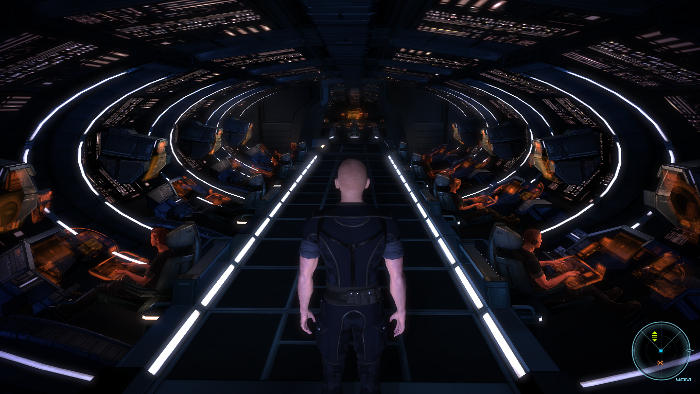
If you love Sci-fi over-the-shoulder shooters with an immersive story, role playing elements, amazing voice acting, epic themes, squad based action, weapon customization and stunning graphics... Mass Effect is your game!
On top of all that, it runs GREAT in Linux!
Follow my step-by-step guide on installing, configuring and optimizing Mass Effect in PlayOnLinux.
Note: This guide applies to the Retail version only. Downloaded and Steam versions may require additional steps.
Tips & Specs
To learn more about PlayOnLinux and Wine configuration, see the online manual:
PlayOnLinux Explained
Mint 14 32-bit
PlayOnLinux: 4.2
Wine: 1.5.25
Installing Wine with PlayOnLinux
Installing different versions of Wine is necessary for running different games because one Wine doesn't work for them all. PlayOnLinux makes it possible to download, install and test your game...
On top of all that, it runs GREAT in Linux!
Follow my step-by-step guide on installing, configuring and optimizing Mass Effect in PlayOnLinux.
Note: This guide applies to the Retail version only. Downloaded and Steam versions may require additional steps.
Tips & Specs
To learn more about PlayOnLinux and Wine configuration, see the online manual:
PlayOnLinux Explained
Mint 14 32-bit
PlayOnLinux: 4.2
Wine: 1.5.25
Installing Wine with PlayOnLinux
Installing different versions of Wine is necessary for running different games because one Wine doesn't work for them all. PlayOnLinux makes it possible to download, install and test your game...
Elder Scrolls IV: Oblivion Guide
Jul 04
- 34,596
- 12
Elder Scrolls: IV Oblivion was a state-of-the-art benchmark for gaming before Skyrim. Consisting of a massive open-world full of dungeons, castles, ruins, mountains, swamps, forests and countless enemies. Anyone could easily invest 200+ hours just exploring Tamriel, leveling up and completing quests. There is always somewhere new to explore, someone new to talk to and some new minion to slay.
Follow my step-by-step guide on installing, configuring and optimizing Elder Scrolls: IV Oblivion in Linux with PlayOnLinux.
Note: This guide applies to the Retail version of Elder Scrolls: IV Oblivion. Other versions may require additional steps.
Tips & Specs:
To learn more about PlayOnLinux and Wine configuration, see the online manual: PlayOnLinux Explained
Mint 17 64-bit
PlayOnLinux: 4.2.8
Wine: 1.7.46
Wine Installation...
Wolfenstein 2009 Guide
Jul 03
- 18,547
- 1
Wolfenstein has been a long-running franchise starting with the original Castle Wolfenstein in 1981 to Wolfenstein 3D (1992) as one of the first 3 dimensional games. Then later in 2001 Return to Castle Wolfenstein continued the story by revisiting the original concept but with more efficient graphics and stunning visuals... but that wasn't enough. In 2009 Ravensoft developed yet another Wolfenstein with modern graphical capabilities opening a whole new world in the Wolfenstein franchise.
Of course I wanted to see if it run in Linux...
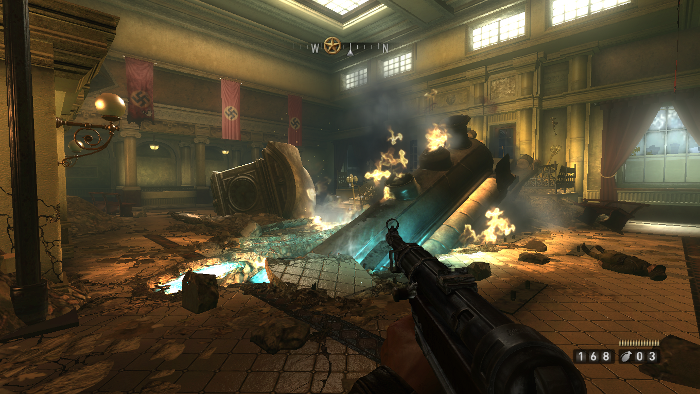
Follow this step-by-step Guide on installing, configuring and optimizing Wolfenstein in PlayOnLinux.
Note: This tutorial applies to the retail version only. The Steam and downloaded versions may require additional steps.
Tips & Specs
To learn more about PlayOnLinux and Wine configuration, see the online manual:
PlayOnLinux...
Of course I wanted to see if it run in Linux...
Follow this step-by-step Guide on installing, configuring and optimizing Wolfenstein in PlayOnLinux.
Note: This tutorial applies to the retail version only. The Steam and downloaded versions may require additional steps.
Tips & Specs
To learn more about PlayOnLinux and Wine configuration, see the online manual:
PlayOnLinux...
Unreal Tournament 3 & Mods Guide
Jul 03
- 20,625
- 5
Who doesn't like the Unreal franchise?
The UT3 engine is so advanced that many huge successful games like Borderlands, Gears of War and many more famous games were created in its wake!
To this day the Unreal engine and UDK still do no port games to Linux natively, but we can still play our favorite games with PlayOnLinux anyways!
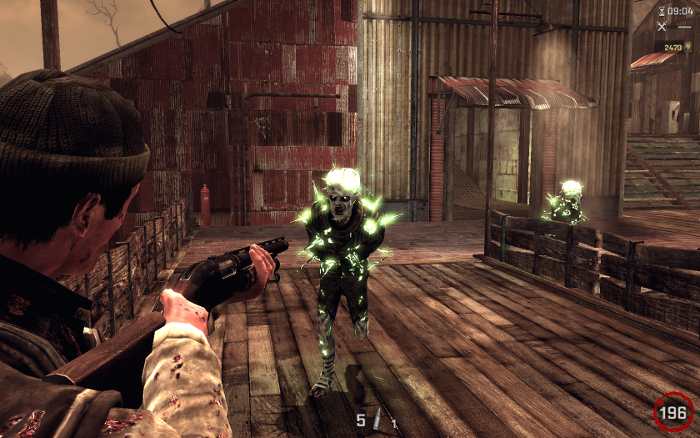
Note: This guide applies to the retail version of Unreal Tournament 3, other Steam or Downloaded versions may require additional steps.
Tips & Specs
To learn more about PlayOnLinux and Wine configuration, see the online manual:
PlayOnLinux...
- First person shooter
- Sci-fi
- Multi-player/Cooperative
- Space Vehicles
- Create your own character
- Lots of free mods & total conversions
The UT3 engine is so advanced that many huge successful games like Borderlands, Gears of War and many more famous games were created in its wake!
To this day the Unreal engine and UDK still do no port games to Linux natively, but we can still play our favorite games with PlayOnLinux anyways!
Note: This guide applies to the retail version of Unreal Tournament 3, other Steam or Downloaded versions may require additional steps.
Tips & Specs
To learn more about PlayOnLinux and Wine configuration, see the online manual:
PlayOnLinux...
Far Cry Guide
Jul 02
- 41,724
- 11
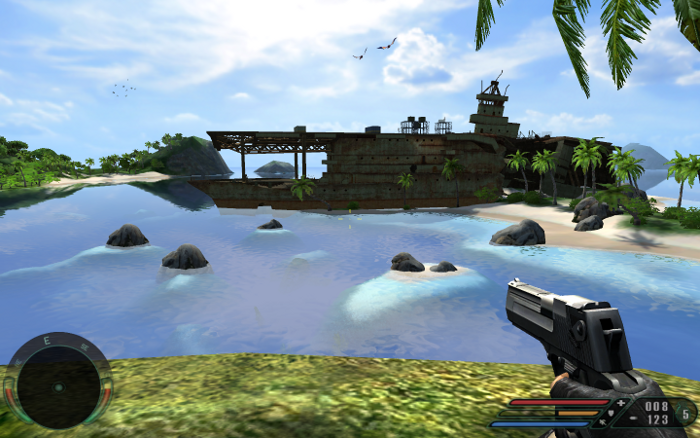
Every review of Far Cry will tell you that it was under-rated and way before its time. Featuring Super High quality textures, bump mapping, soft shadows, huge maps, advanced A.I. and sandbox game-play. Honestly a lot of modern games have been inspired by Far Cry elements.
Lets see how it runs in the Linux environment...
Follow this step-by-step guide on installing, configuring and optimizing Far Cry with PlayOnLinux.
Note: This guide applies to the retail version of Far Cry. Other downloaded versions (GOG, Steam) may require additional steps.
Tips & Specs
To learn more about PlayOnLinux and Wine configuration, see the online manual:
PlayOnLinux Explained
Mint 14 32-bit
PlayOnLinux: 4.2
Wine: 1.4.1
Copying CD ROM data
The original Retail version has 5 CD ROMs and I've never had much success with multiple-disk installations. So lets copy all of the...
Lets see how it runs in the Linux environment...
Follow this step-by-step guide on installing, configuring and optimizing Far Cry with PlayOnLinux.
Note: This guide applies to the retail version of Far Cry. Other downloaded versions (GOG, Steam) may require additional steps.
Tips & Specs
To learn more about PlayOnLinux and Wine configuration, see the online manual:
PlayOnLinux Explained
Mint 14 32-bit
PlayOnLinux: 4.2
Wine: 1.4.1
Copying CD ROM data
The original Retail version has 5 CD ROMs and I've never had much success with multiple-disk installations. So lets copy all of the...
Call Of Duty 2 Guide
Jun 30
- 59,426
- 13
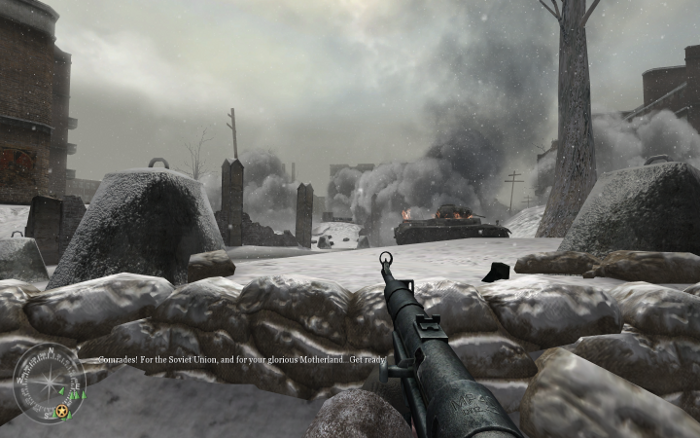
Call of Duty is a well known war franchise in settings from WWII to modern day. When Call of Duty 2 arrived it was packed with a bunch of new features like directx 9 graphics and the ability to play through different WWII scenarios from different countries.
Running Call of Duty 2 in Linux was pretty easy and ran really well.
Follow my step-by-step guide on installing, configuring and optimizing Call of Duty in PlayOnLinux.
Note: This guide applies to the retail version only. Downloaded and Steam versions may require additional steps.
To learn more about PlayOnLinux and Wine configuration, see the online manual:
PlayOnLinux Explained
Mint 14 32-bit
PlayOnLinux: 4.1.9
Wine: 1.4
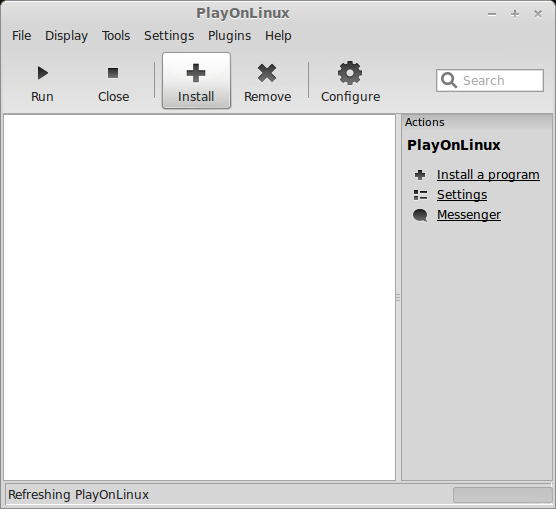
Launch PlayOnLinux
Click Install
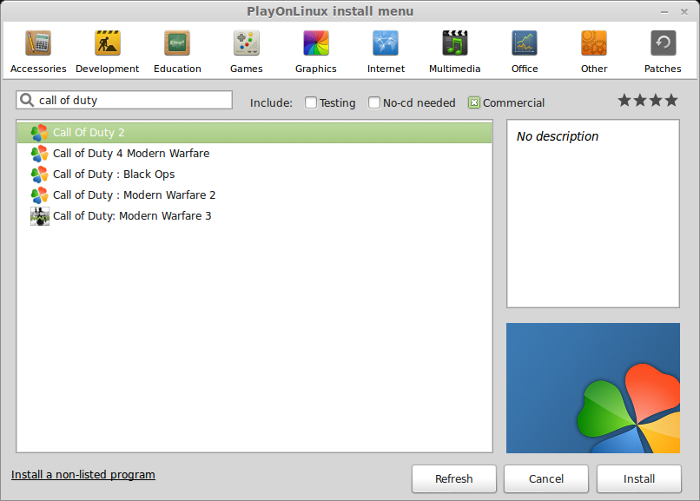
Search for "Call of Duty 2"
Select "Call of Duty 2"
Click Install
Wine Installing...
Running Call of Duty 2 in Linux was pretty easy and ran really well.
Follow my step-by-step guide on installing, configuring and optimizing Call of Duty in PlayOnLinux.
Note: This guide applies to the retail version only. Downloaded and Steam versions may require additional steps.
To learn more about PlayOnLinux and Wine configuration, see the online manual:
PlayOnLinux Explained
Mint 14 32-bit
PlayOnLinux: 4.1.9
Wine: 1.4
Launch PlayOnLinux
Click Install
Search for "Call of Duty 2"
Select "Call of Duty 2"
Click Install
Wine Installing...
Bioshock Guide
Jun 30
- 25,101
- 11
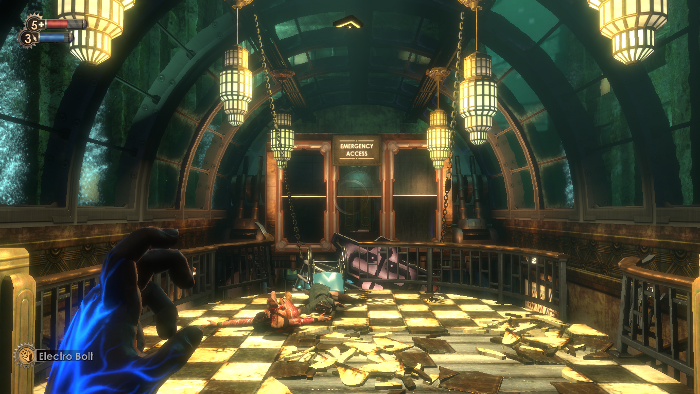
Bioshock was one of the first games to use the Art Deco architecture and themes from the 20's, also included many elements from their classic games System Shock 1 & 2. Even today Bioshock can compete graphically with modern games and engines.
But will it run in Linux with all the same graphical capabilities and a playable frame rate?
Follow this step-by-step guide on installing and configuring Bioshock to run in Linux with PlayOnLinux.
Note: This guide applies to the downloaded version of Bioshock. Retail and Steam versions may require additional steps.
To learn more about PlayOnLinux and Wine configuration, see the online manual:
PlayOnLinux Explained
Launch PlayOnLinux
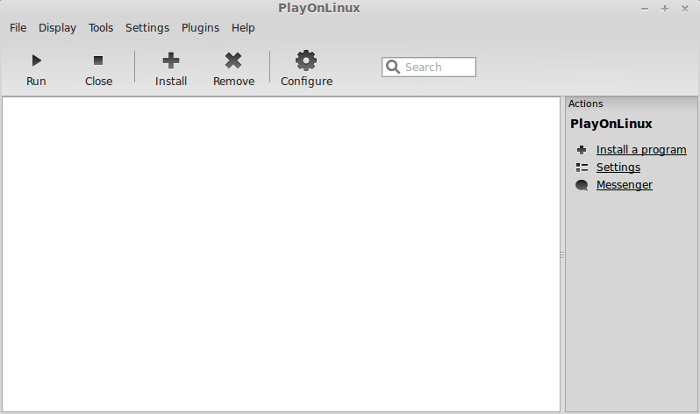
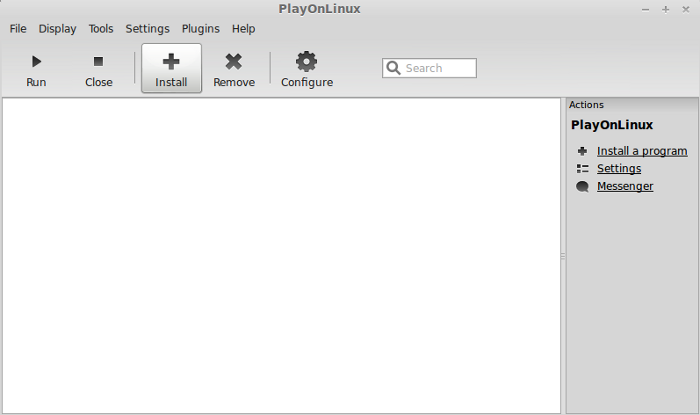
Click the Install button
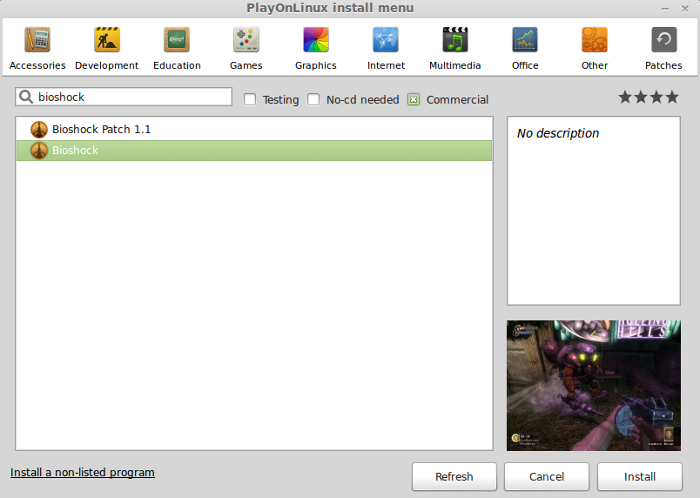
Search for Bioshock
Click Install
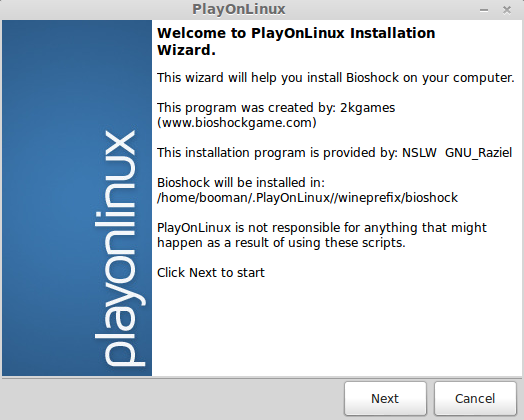
Welcome
Click Next
 ...
...
But will it run in Linux with all the same graphical capabilities and a playable frame rate?
Follow this step-by-step guide on installing and configuring Bioshock to run in Linux with PlayOnLinux.
Note: This guide applies to the downloaded version of Bioshock. Retail and Steam versions may require additional steps.
To learn more about PlayOnLinux and Wine configuration, see the online manual:
PlayOnLinux Explained
Launch PlayOnLinux
Click the Install button
Search for Bioshock
Click Install
Welcome
Click Next
G.R.A.W Guide
Jun 29
- 10,931
- 1
Ghost Recon Advanced Warfighter Guide
I've always been a fan of First Person Shooters with an emphasis on military operations. The original Ghost Recon was truly original because it combined First Person Shooter with Real-Time Strategy. You can command your teams to move, attack, flank, hold and defend all the while you are aiming down the scope at enemies.
GRAW entered the gaming industry right after all of the new lighting and physics effects were implemented due to the advances in video processing. Though it ran slow on modest computers, GRAW was extremely beautiful: reflections, highlights and amazing smoke & explosion effects.
It also includes almost all the features of the original Ghost Recon along with a bunch of new features because its based in the future.
I didn't have any problems running it in Mint 13 and was actually quite pleased with the graphical results and frame rate performance.
This guide will walk you step-by-step installing and configuring GRAW to...
I've always been a fan of First Person Shooters with an emphasis on military operations. The original Ghost Recon was truly original because it combined First Person Shooter with Real-Time Strategy. You can command your teams to move, attack, flank, hold and defend all the while you are aiming down the scope at enemies.
GRAW entered the gaming industry right after all of the new lighting and physics effects were implemented due to the advances in video processing. Though it ran slow on modest computers, GRAW was extremely beautiful: reflections, highlights and amazing smoke & explosion effects.
It also includes almost all the features of the original Ghost Recon along with a bunch of new features because its based in the future.
I didn't have any problems running it in Mint 13 and was actually quite pleased with the graphical results and frame rate performance.
This guide will walk you step-by-step installing and configuring GRAW to...
Darkest of Days Guide
Jun 29
- 8,184
- 0
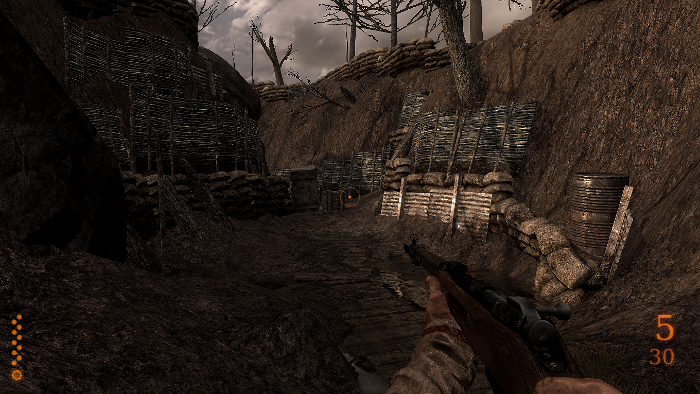
Darkest of Days is a first person shooter taking a risk at combining multiple settings in one package. You will find your character in the middle of several historical battles all the while maintaining historical accuracy and sci-fi elements.
Running Darkest of Days in PlayOnLinux was simple and ran extremely well.
Follow my step-by-step guide on installing, configuring and optimizing Darkest of Days.
Note: This guide applies to the Retail version only. Steam or downloaded versions may require additional steps.
Tips & Specs
To learn more about PlayOnLinux and Wine configuration, see the online manual:
PlayOnLinux Explained
Mint 14 32-bit
PlayOnLinux: 4.2.1
Wine: 1.5.25
Installing Wine with PlayOnLinux
Installing different versions of Wine is necessary for running different games because one...
Running Darkest of Days in PlayOnLinux was simple and ran extremely well.
Follow my step-by-step guide on installing, configuring and optimizing Darkest of Days.
Note: This guide applies to the Retail version only. Steam or downloaded versions may require additional steps.
Tips & Specs
To learn more about PlayOnLinux and Wine configuration, see the online manual:
PlayOnLinux Explained
Mint 14 32-bit
PlayOnLinux: 4.2.1
Wine: 1.5.25
Installing Wine with PlayOnLinux
Installing different versions of Wine is necessary for running different games because one...
Battlefield 2 & Patches Guide
Jun 28
- 121,489
- 42
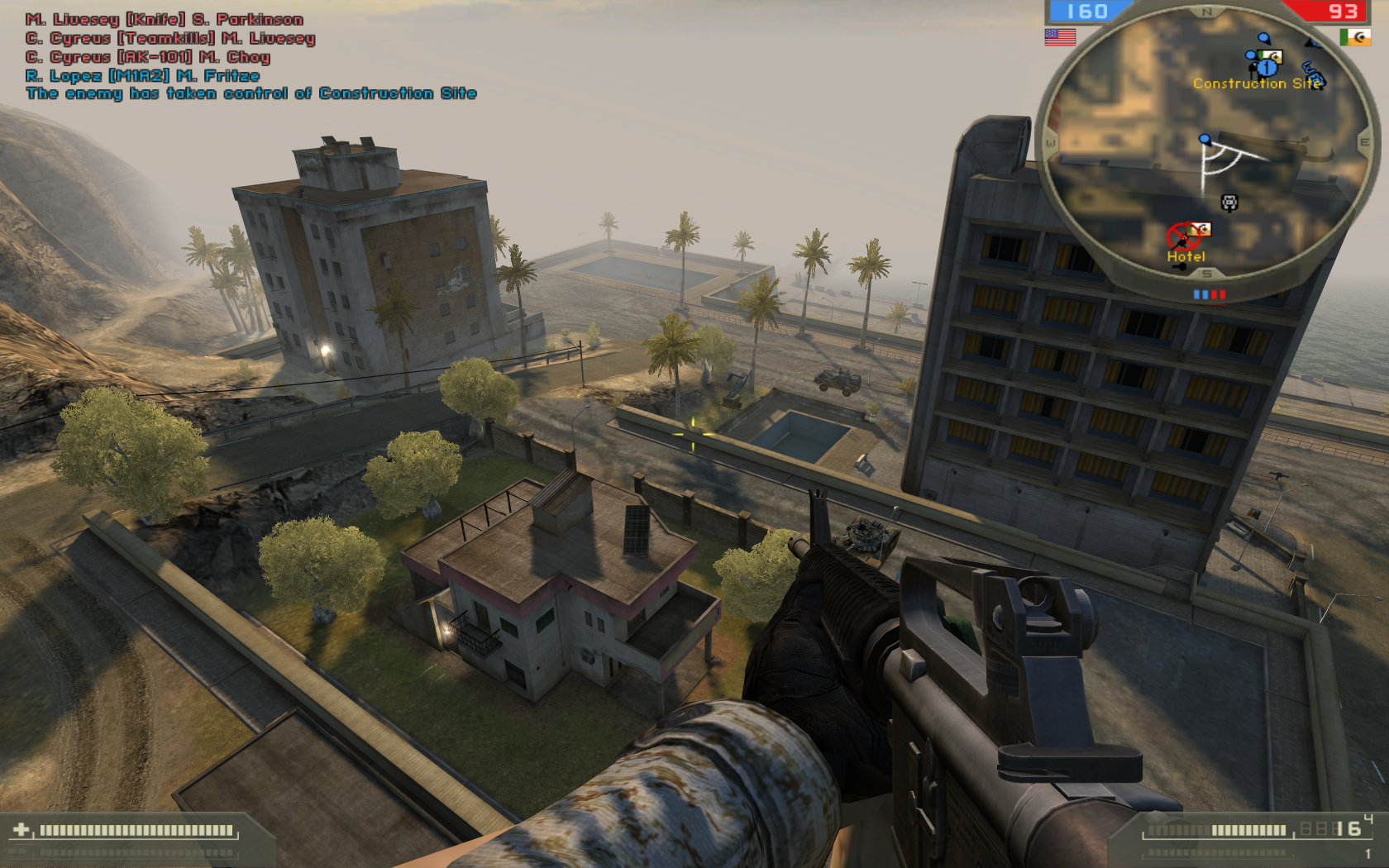
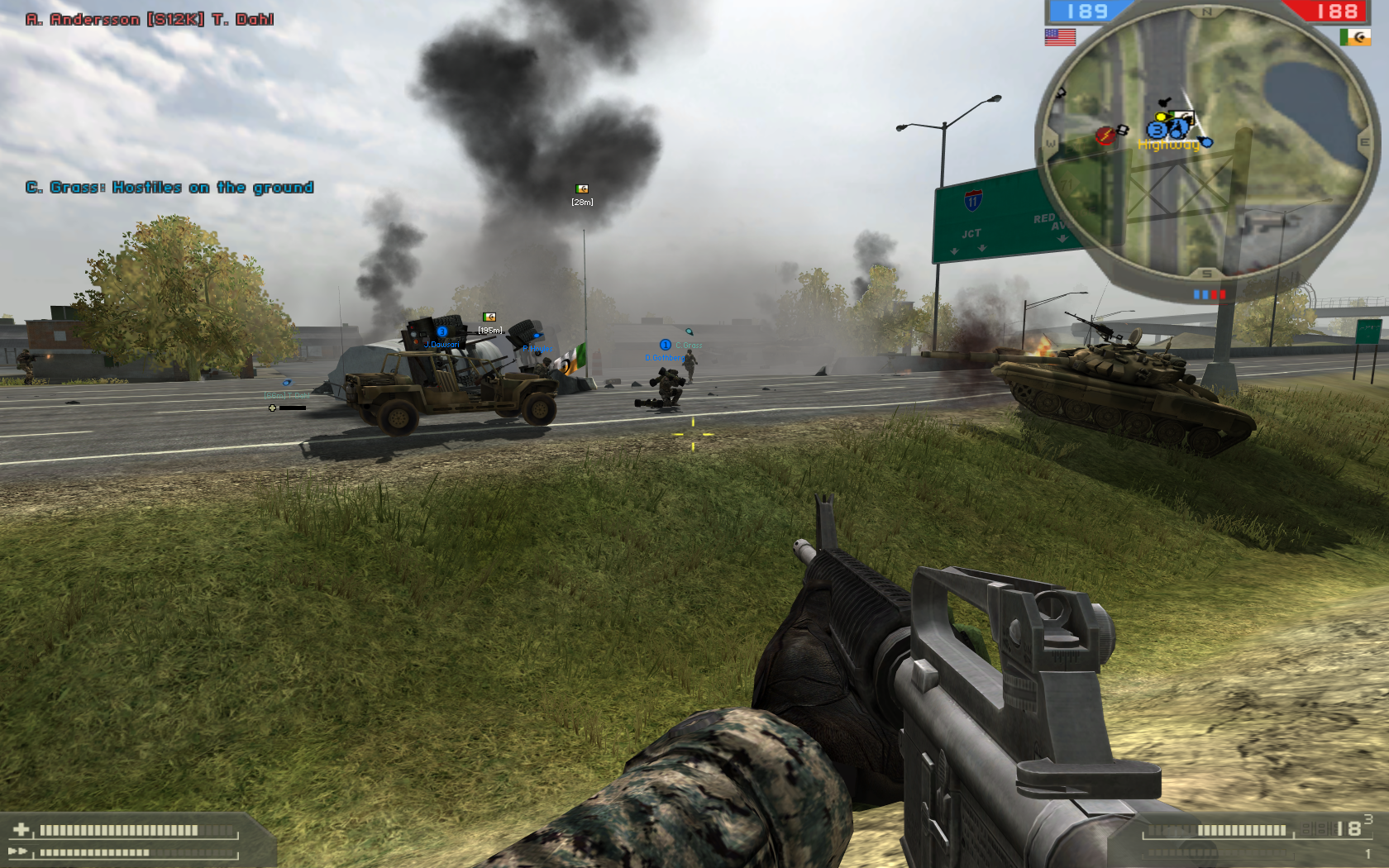
Since many of us can't afford the $60 price tag of Battlefield 4, but we can still try Battlefield 2 in Linux for almost nothing. Specially if you already own it.
I will walk you through this Step-by-Step guide on how to install and configure Battlefield 2 in order to run it with the optimum settings like you could in Windows.
Tips & Specs:
To learn more about PlayOnLinux and Wine configuration, see the online manual: PlayOnLinux Explained
Mint 17 64-bit
PlayOnLinux: 4.2.5
Wine: 1.7.31
Wine Installation
Click Tools
Select "Manage Wine Versions"
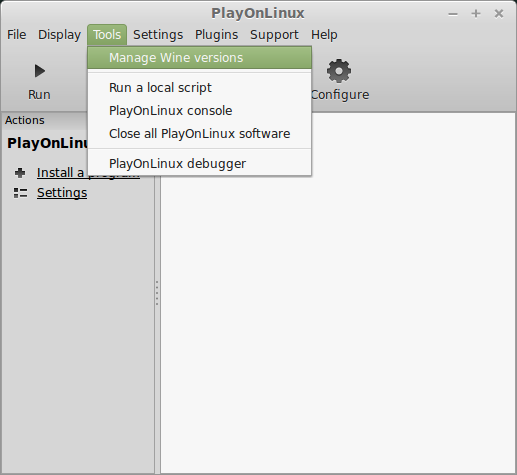
Look for the Wine Version: 1.7.31
Note: Try using stable Wine 1.8 and 1.8-staging
Select it
Click the arrow pointing to the right
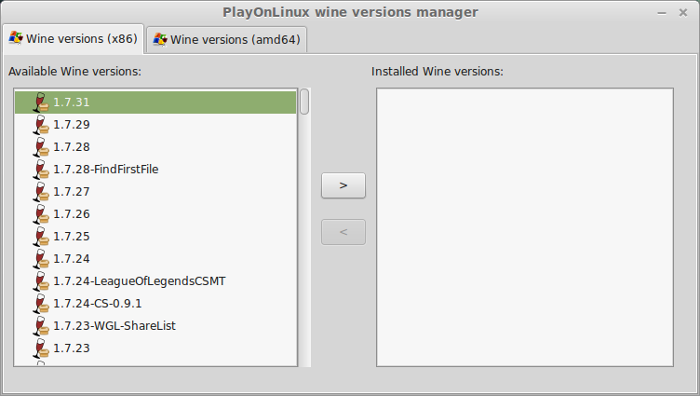
Click Next
Downloading Wine
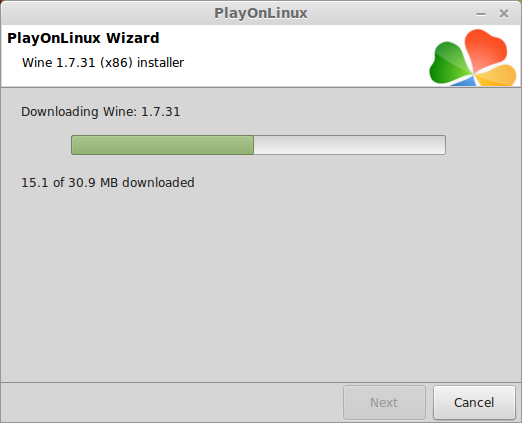
Extracting
Downloading Gecko...
I will walk you through this Step-by-Step guide on how to install and configure Battlefield 2 in order to run it with the optimum settings like you could in Windows.
Tips & Specs:
To learn more about PlayOnLinux and Wine configuration, see the online manual: PlayOnLinux Explained
Mint 17 64-bit
PlayOnLinux: 4.2.5
Wine: 1.7.31
Wine Installation
Click Tools
Select "Manage Wine Versions"
Look for the Wine Version: 1.7.31
Note: Try using stable Wine 1.8 and 1.8-staging
Select it
Click the arrow pointing to the right
Click Next
Downloading Wine
Extracting
Downloading Gecko...
Fallout 3 Guide
Jun 28
- 144,702
- 130
Fallout 3 is an immersive Post Apocalyptic Role Playing Game where humanity struggles to survive in a radioactive, mutated wasteland of the United States. Following suite with Bethseda's previous Elder Scrolls titles, they explore a Sci-Fi genre and upgrade the same engine used in Elder Scrolls: Oblivion while retaining our favorite Role Playing aspects to keep us playing for 100's of hours.
Naturally I wanted to see if Fallout 3 would run in Linux. Follow my guide and lets see if it will run for you as well...
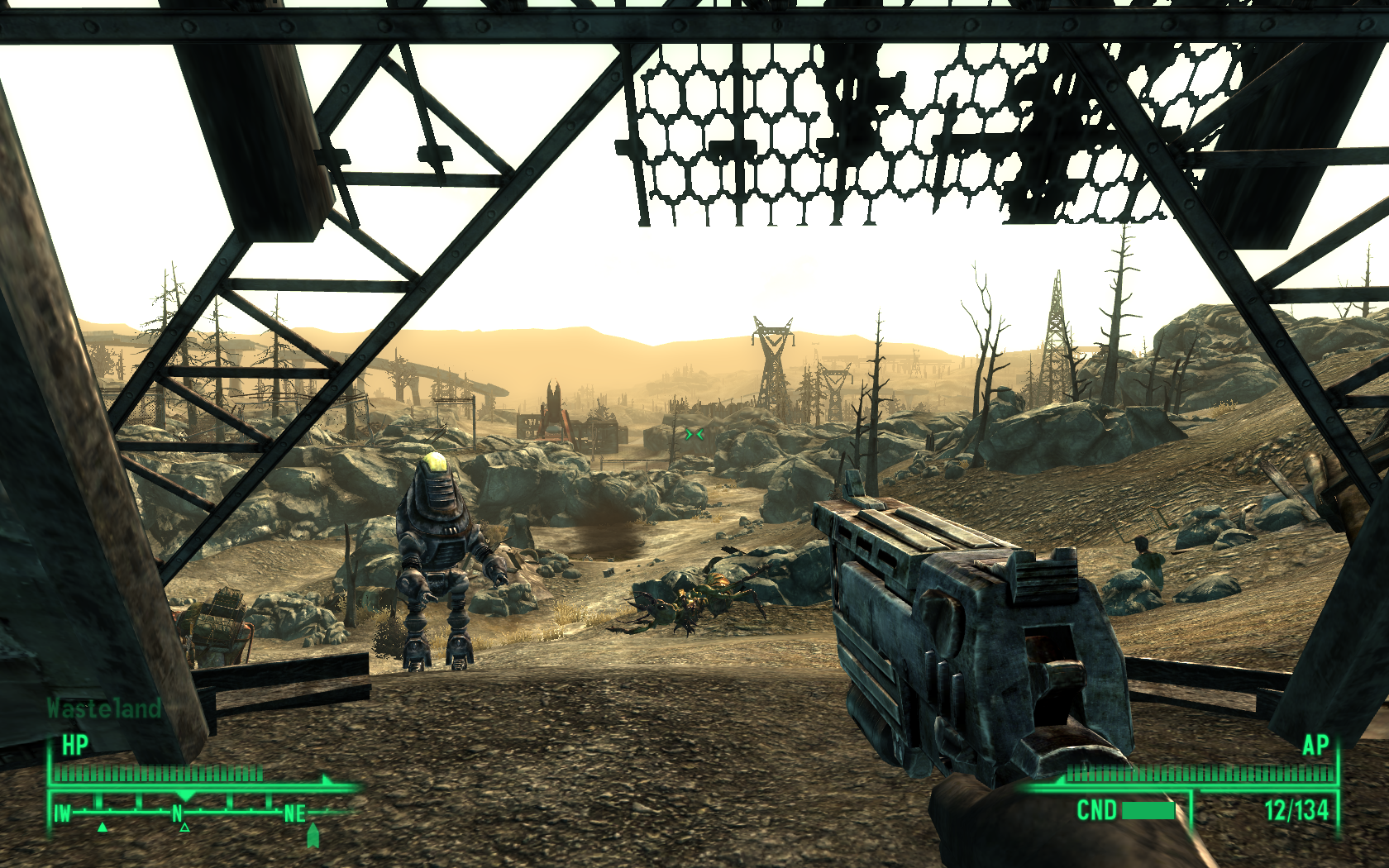
Follow my step-by-step guide on installing, configuring and optimizing Fallout 3 in Linux with PlayOnLinux.
Note: This guide applies to the Retail version of Fallout 3. Other versions may require additional steps.
Tips & Specs:
To learn more about PlayOnLinux and Wine configuration, see the online manual: PlayOnLinux Explained
Mint 16 32-bit...
Naturally I wanted to see if Fallout 3 would run in Linux. Follow my guide and lets see if it will run for you as well...
Follow my step-by-step guide on installing, configuring and optimizing Fallout 3 in Linux with PlayOnLinux.
Note: This guide applies to the Retail version of Fallout 3. Other versions may require additional steps.
Tips & Specs:
To learn more about PlayOnLinux and Wine configuration, see the online manual: PlayOnLinux Explained
Mint 16 32-bit...
Dos Box & Games Guide
Jun 28
- 17,082
- 0
Needing some Nostalgic games back in your life? When was the last time you played Doom II, Hexen, Heretic or Warcraft?
DOS Box is a PC emulator which allows MS-DOS games and programs to be run under other operating systems. It was designed with PC gaming in mind, but should also run other DOS programs.
This step-by-step guide leads you through installation of DOSBox and Blood in Linux.
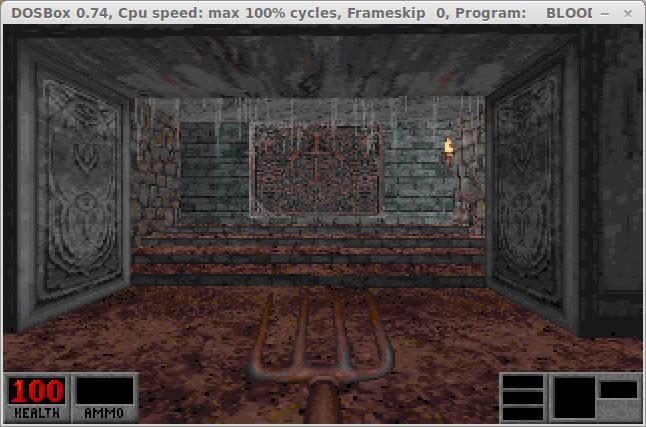
Installation
Open your Distro's Package Manager, I'm using Linux Mint.
Search for DOSBox (double-click to select it).
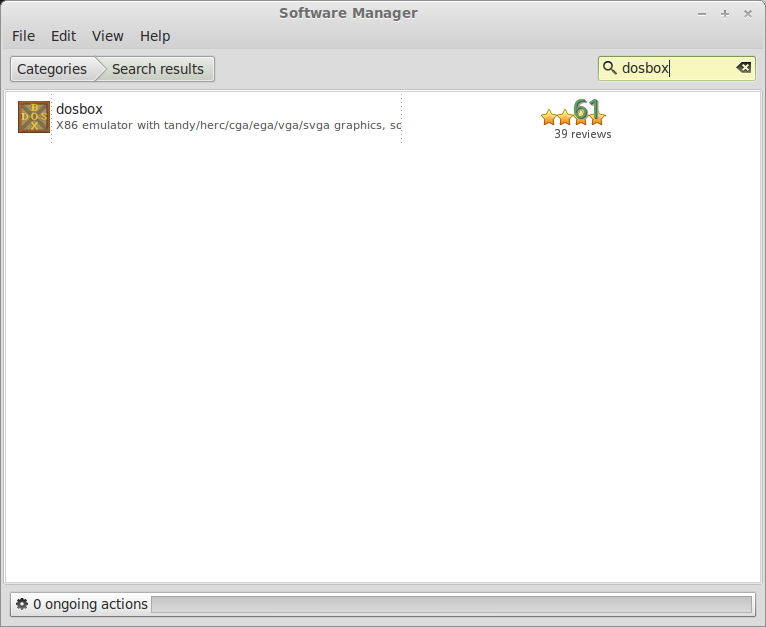
Click Install.
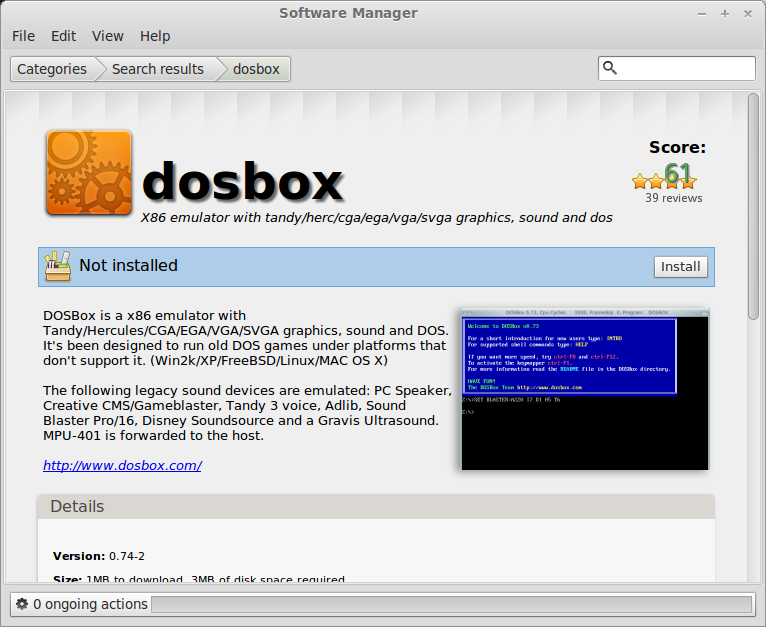
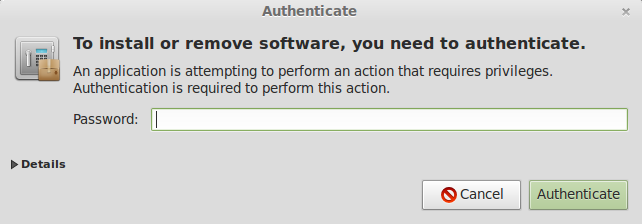
You will be prompted with a password to install it.
When the installation is done a shortcut is created in your...
DOS Box is a PC emulator which allows MS-DOS games and programs to be run under other operating systems. It was designed with PC gaming in mind, but should also run other DOS programs.
This step-by-step guide leads you through installation of DOSBox and Blood in Linux.
Installation
Open your Distro's Package Manager, I'm using Linux Mint.
Search for DOSBox (double-click to select it).
Click Install.
You will be prompted with a password to install it.
When the installation is done a shortcut is created in your...
Far Cry 2 Guide
Jun 27
- 23,325
- 2
Far Cry 2 had big shoes to fill due to its successor. Nothing better than topping Far Cry with its own franchise!
Far Cry 2 stepped-up every element with huge open maps for exploration, beautifully animated landscapes, intensely graphic battles, state-of-the-art physics, realistic consuming fire and an immersive story with believable characters.
Lets see how Far Cry 2 stands up in Linux!
I will walk you through a step-by-step guide to install, configure and optimize Far Cry 2 with PlayOnLinux...
Note: This tutorial applies to the Retail version only. Steam & GOG.com versions may require different steps.
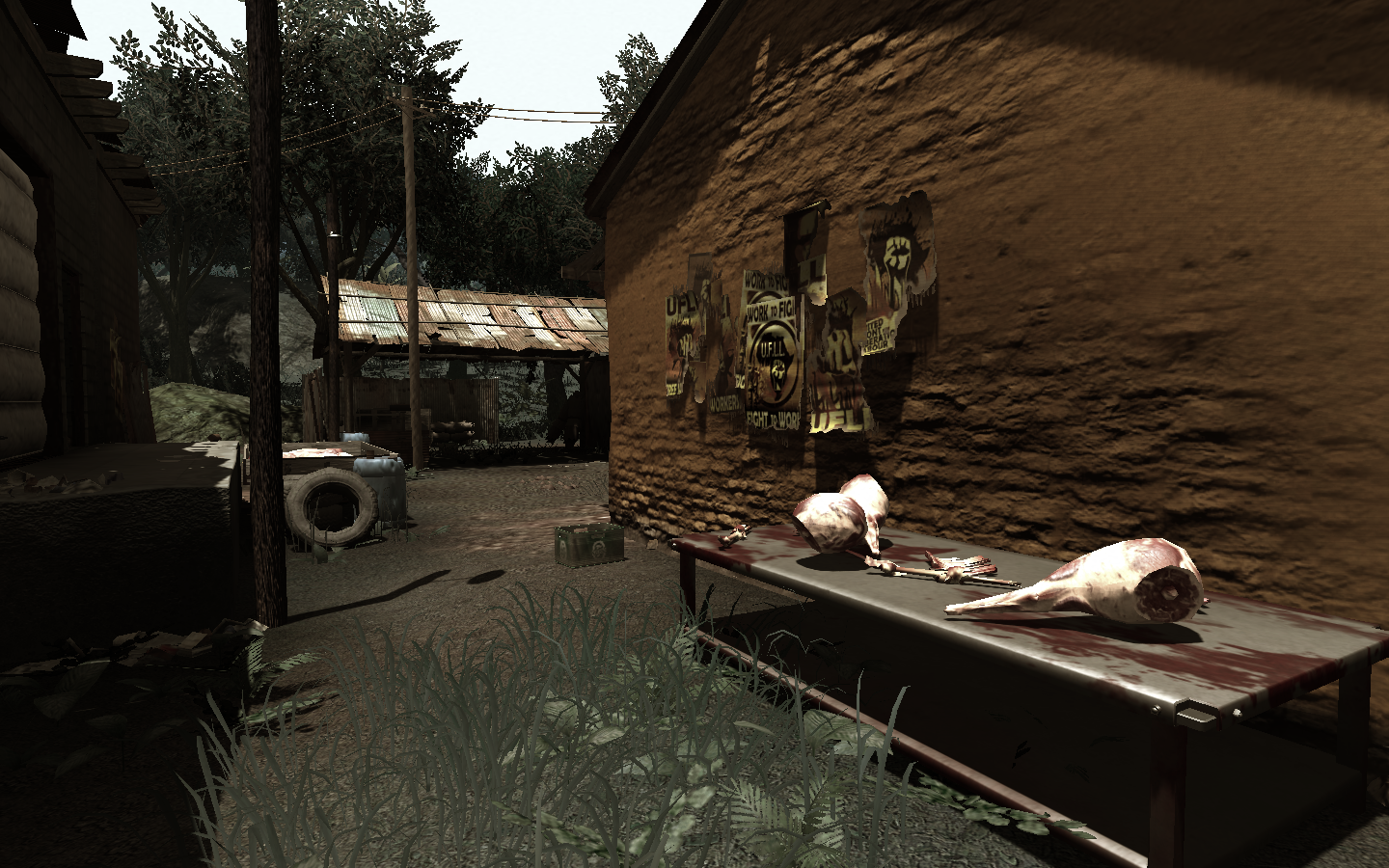
PlayOnLinux Setup
To learn more about PlayOnLinux and Wine configuration, see the online manual:
PlayOnLinux Explained
Mint 13 32-bit
PlayOnLinux ver: 4.0.14
Default Wine ver: 1.5.16
Launch PlayOnLinux.
Click...
Far Cry 2 stepped-up every element with huge open maps for exploration, beautifully animated landscapes, intensely graphic battles, state-of-the-art physics, realistic consuming fire and an immersive story with believable characters.
Lets see how Far Cry 2 stands up in Linux!
I will walk you through a step-by-step guide to install, configure and optimize Far Cry 2 with PlayOnLinux...
Note: This tutorial applies to the Retail version only. Steam & GOG.com versions may require different steps.
PlayOnLinux Setup
To learn more about PlayOnLinux and Wine configuration, see the online manual:
PlayOnLinux Explained
Mint 13 32-bit
PlayOnLinux ver: 4.0.14
Default Wine ver: 1.5.16
Launch PlayOnLinux.
Click...
S.T.A.L.K.E.R Shadow of Chernobyl Guide
Jun 26
- 38,479
- 16
S.T.A.L.K.E.R Shadow of Chernobyl is a long anticipated First Person Shooter with Role Playing elements in a Sci-Fi Post Nuclear zone in Russia.
With Graphical capabilities beyond its time S.T.A.L.K.E.R had lasted the test-of-time. Even today its still graphically beautiful with plenty of eye-candy even for mediocre hardware.
Follow my step-by-step guide on installing, configuring and optimizing S.T.A.L.K.E.R Shadow Of Chernobyl in Linux with PlayOnLinux.
Note: This guide applies to the GOG version of S.T.A.L.K.E.R Shadow Of Chernobyl. Other versions may require additional steps.
Tips & Specs:
To learn more about PlayOnLinux and Wine configuration, see the online manual: PlayOnLinux Explained
Mint 17.3 64-bit
PlayOnLinux: 4.2.10
Wine: 1.8.3
Wine Installation
Click Tools
Select "Manage Wine Versions"...
Steam Source Games Guide
Jun 26
- 24,398
- 11
There are still a lot of favorite Steam games that won't run in Linux. So, I thought it would be nice to have a step-by-step guide on how to install WinSteam with PlayOnLinux
I found it to be fairly easy to install and restore my backed up games from Windows. I am dual-booting Mint & Windows 7 so I can easily access my Steam games from the Windows 7 partition. This saved me a lot of time because I didn't have to download each game through Steam. Instead I did a quick copy & paste to migrate my games after Steam was installed.
Tips & Specs
Try SteamPlay before using this guide as Valve now uses a fork of Wine called Proton and should run most Windows games.
To learn more about PlayOnLinux and Wine configuration, see the online manual:
PlayOnLinux Explained
Mint 16 32-bit
PlayOnLinux ver: 4.2.2
Wine version: 1.6.2
Installing Wine
Click Tools
Select...
I found it to be fairly easy to install and restore my backed up games from Windows. I am dual-booting Mint & Windows 7 so I can easily access my Steam games from the Windows 7 partition. This saved me a lot of time because I didn't have to download each game through Steam. Instead I did a quick copy & paste to migrate my games after Steam was installed.
Tips & Specs
Try SteamPlay before using this guide as Valve now uses a fork of Wine called Proton and should run most Windows games.
To learn more about PlayOnLinux and Wine configuration, see the online manual:
PlayOnLinux Explained
Mint 16 32-bit
PlayOnLinux ver: 4.2.2
Wine version: 1.6.2
Installing Wine
Click Tools
Select...